Re-use assignments from archived teams

Microsoft Teams allows you to re-use assignments you’ve created in any team, whether it’s from an archived class or not. To re-use an assignment:
- Navigate to the General class of your current class, then select Assignments.
- Select Create > From existing.
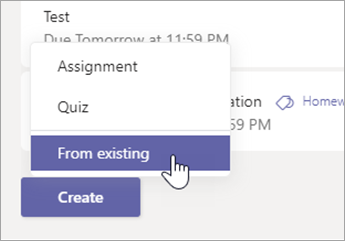
- Follow the steps to choose the original class and the assignment you’re re-using.

- Fill in or edit assignment details as usual and choose classes or individual students to assign the work to.
- Select Assign.